Recognize a green pentagram on red
Morocco’s national flag has a red field with a green pentagram in the center. The green device is an interlaced five-pointed star, so recognize its lines and the red field visible around and within the design.
Do not fill the whole star-shaped area with green. A familiar star outline is not automatically the same as a filled star. Identify the device’s structure before deciding which parts of the supplied template belong to green.
Check the national design in the Morocco flag reference and Morocco’s national portal. Use those pages to recognize the device, then check the palette in the game separately.
Distinguish the device from its surrounding spaces
| Part | Intended color | Recognition task |
|---|---|---|
| Main field | Red | Keep the broad background distinct from the device |
| Pentagram lines | Green | Recognize the interlaced five-pointed structure |
| Spaces around the lines | Red field | Do not treat the whole center as a solid green block |
Use the visible game template and its current controls. Do not assume you have to trace the star by hand or that the game offers a drawing tool or separate symbol layers.
Inspect the green device and the red background separately at the center. Naming both colors is only the start; check where the green lines end and the red spaces remain.
Check a symbol mistake before changing the palette
If the central device has the wrong color, adjust that placement decision first. Darkening the field will not fix a red star assigned to a green background, and polishing green will not restore red spaces that you treated as part of a solid symbol.
If the arrangement is already correct, inspect the color selections. Choose the intended green and red families before adjusting their tones. Check the colors on the canvas rather than assuming a vivid shade in the picker is the correct game answer.
Use the color picker guide to separate family and tone decisions. Check your selections in the game instead of treating the guide as a HEX answer table for Morocco.
Follow the outline during your final review
Start with the broad red field. Then inspect the central device’s points and connecting lines, keeping its green separate from the red spaces around them.
Check for a lost outline or the wrong background. Do not add decorations because a previous percentage was below your target. Use the national design for placement and compare your colors in the game rather than assuming an exact scoring tolerance.
For a different red-field symbol, read the Albania guide. Albania uses a black double-headed eagle, so its silhouette and color should not be transferred to Morocco’s green pentagram.
Use a repeated prompt for a narrow correction
If you receive Morocco again, preserve the correctly recognized field and outline while correcting the clearest mistake. Change a missed device color or one selected shade rather than altering the whole design and palette together.
Watch the countdown and leave time to inspect the central area. Use that order to avoid missing the device, and check the current mode rules before giving the star any particular scoring weight.
The accuracy guide explains how to learn from a result without inventing a pixel equation or a perfect-score guarantee.
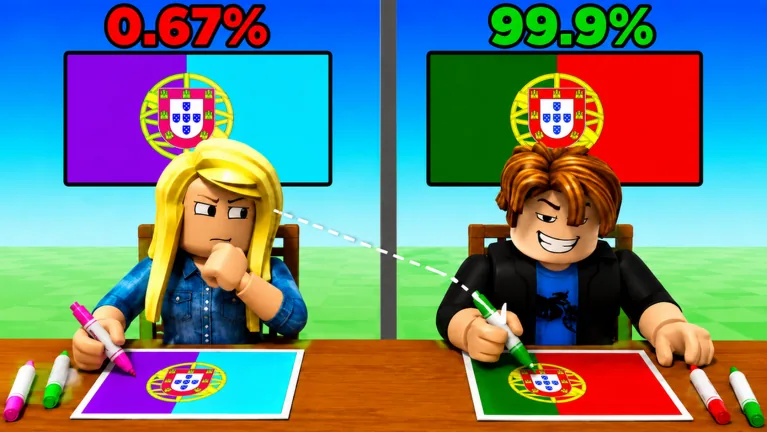
Watch the player attempts in the gameplay clip below to see the interface. Do not treat their green and red selections as an official answer key.
FAQ
What color is the background of Morocco’s flag?
Red. Keep it separate from the green central device.
Is the star solid green?
The national device is an interlaced green pentagram. Recognize its lines and the red field visible between them rather than replacing it with a solid green patch.
Should I draw the star manually?
Use the template and controls in your session. Check them before assuming the game offers freehand drawing or layer editing.
Which HEX values guarantee the right answer?
Correct the field and device relationship, then compare deliberate shade choices on repeated attempts. Do not treat a HEX value as a guaranteed game answer.